

IRIS Accountancy: Invalid data entry ‘Additional information’ OR ‘Description’
Article ID
trust-tax-invalid-data-entry-additional-information
Article Name
IRIS Accountancy: Invalid data entry ‘Additional information’ OR ‘Description’
Created Date
16th August 2021
Problem
IRIS Trust Tax: Invalid data entry 'Additional information' OR 'Description' element is invalid - according to data type - less than min length
Resolution

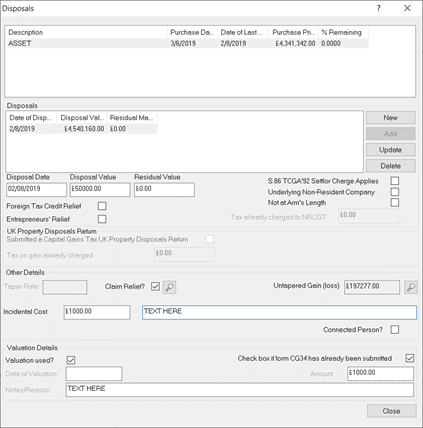
If on TRUST TAX: On the Left side: Income, Capital gains and Dividends, Capital Assets – check the Asset and Disposal screens
1) Check the content of all text information cells – it must not too too long and no special characters are used
2) Check the ‘Claim relief’ tick box – this has a restricted character limit – reduce the length of the content.
3) If you need to declare the the full text content – Capital assets, Edit, Losses and Other info and tick Additional info – enter the text.
4) If you cannot find the issue on steps 1 and 2, then on the left side of Trust tax – check all entries and Additional information boxes. For example: Trust, Charity, check all the entries under each heading – do not use special characters or reduce the length of content.
5) If not Trust tax – find the exact entry made under in the Tax software under the warnings description and review/edit it using the similar steps as above eg the length and what is typed.
We are sorry you did not find this KB article helpful. Please use the box below to let us know how we can improve it.