

Creating Deparments
Article ID
12084
Article Name
Creating Deparments
Created Date
29th September 2016
Problem
How do I create and assign employees to different departments?
Resolution
Creating a Department
To add a Department:
• Click on the Company tab and then the Departments button.
• Click Add New 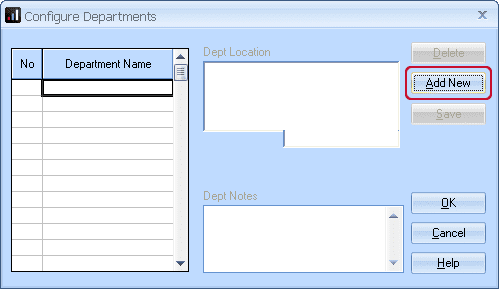
• Type the department name directly into the Department Name grid.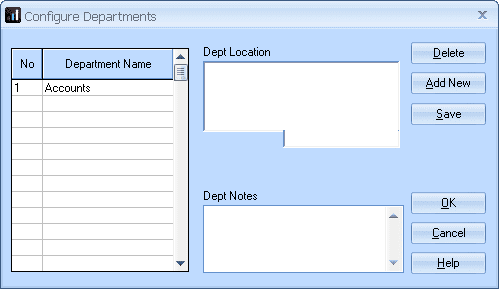
• Click OK.
The department is created and ready to have an employee assigned to it.
To allocate an employee to a Department:
• Double-click on the name of the employee in the Selection Side Bar to open their details.
• Department is on the Personal tab (the Employee Details screen should open on the Personal tab automatically) 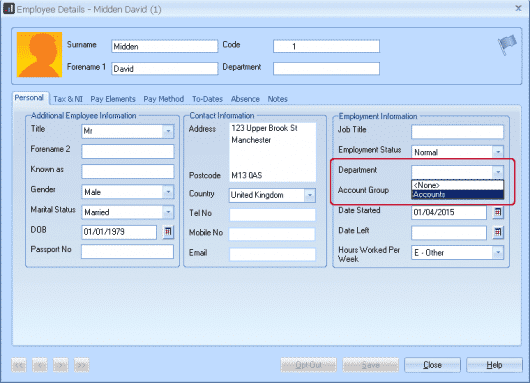
• Use the drop down arrow to see the list of Departments and click to select Accounts.
• Click the Save button then Close.
We are sorry you did not find this KB article helpful. Please use the box below to let us know how we can improve it.