


IRIS GP Accounts Package – How to add a new user
Article ID
11152
Article Name
IRIS GP Accounts Package – How to add a new user
Created Date
17th October 2017
Problem
How do I add a new user onto the system?
Resolution
This is for IRIS GP Accounts Package users only
If you need to add new users under ‘IRIS Accountancy’ then read this KB
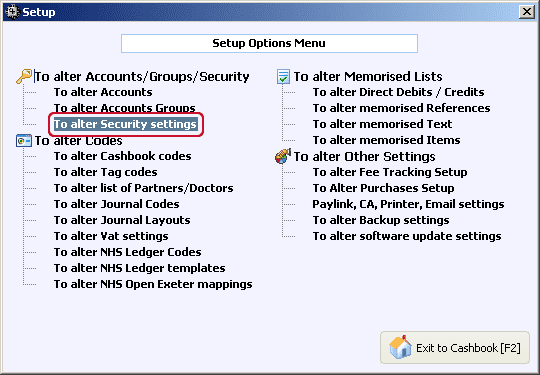
Go to “Setup” > “To alter Security Settings“
Select “User Logins” and click “Add a New User“
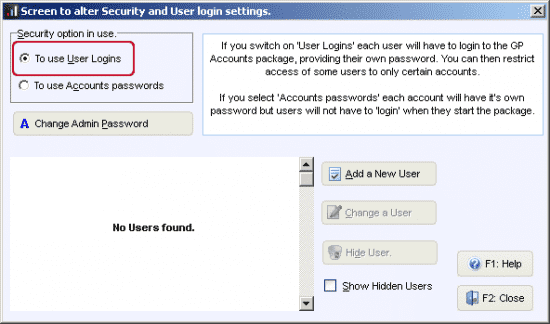

Once User logins are enabled, the administrator will set up a ‘User’ with a user name and password for each member of staff or doctor who is allowed access to the package. You may specify which specific accounts each user can access.
User Login and Access rights
For each user added, you must supply a User name and password. For each account listed, you may set access for this user to No Access, Full Access or Read-only, by clicking on the appropriate drop-down arrow in the access rights column:
We are sorry you did not find this KB article helpful. Please use the box below to let us know how we can improve it.